Everything PDF Coast can do
A complete set of PDF tools that runs on your PC. Tools marked Pro are part of PDF Coast Pro, a one-time purchase you can try free for 14 days. Everything else is free.
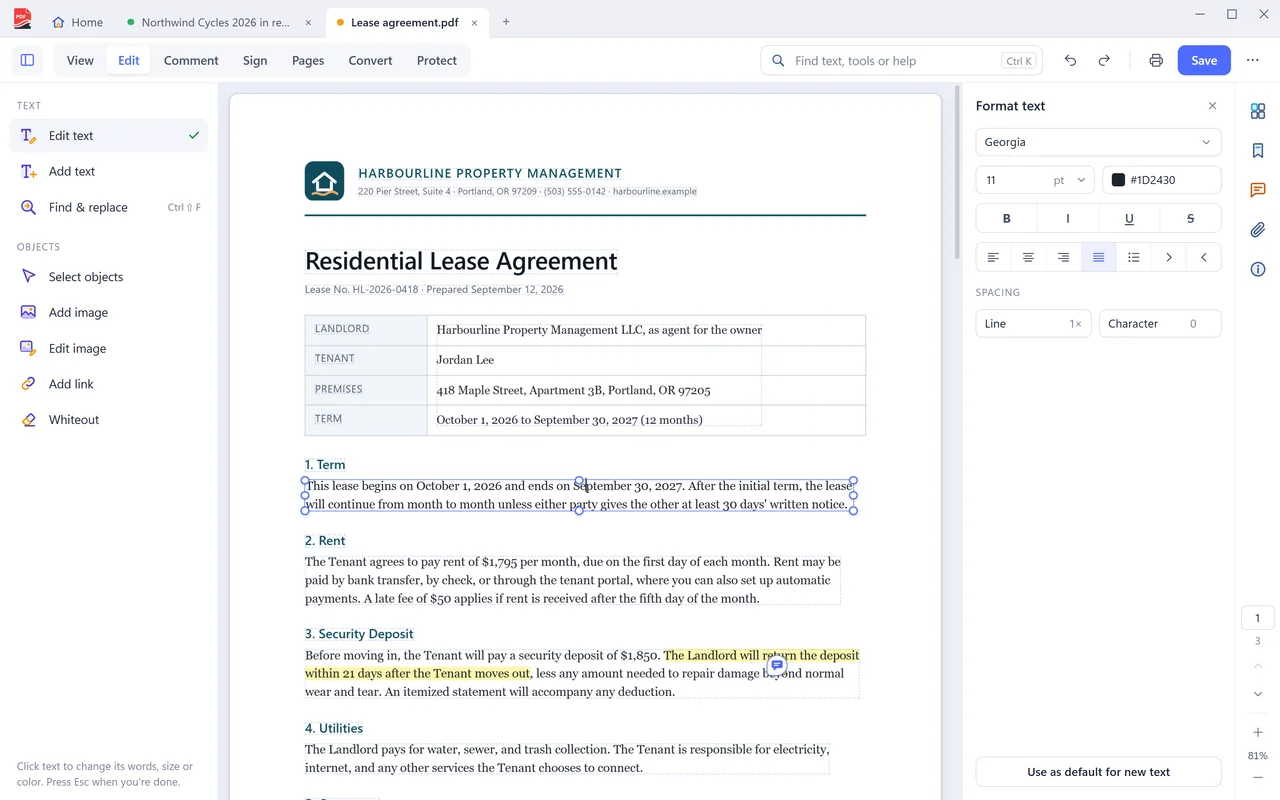
Edit and add content
Change what a PDF says, add your own content, and put headers, footers and numbers on every page.
- Edit the existing text and fix typos in placePro
- Replace, move and resize imagesPro
- Batch replace text across a documentPro
- Compare two versions of a document side by sidePro
- Add text boxes, images and linksFree
- Headers, footers, watermarks, page numbers and Bates numbers, editable laterFree
- Page background colorFree
Comment and review
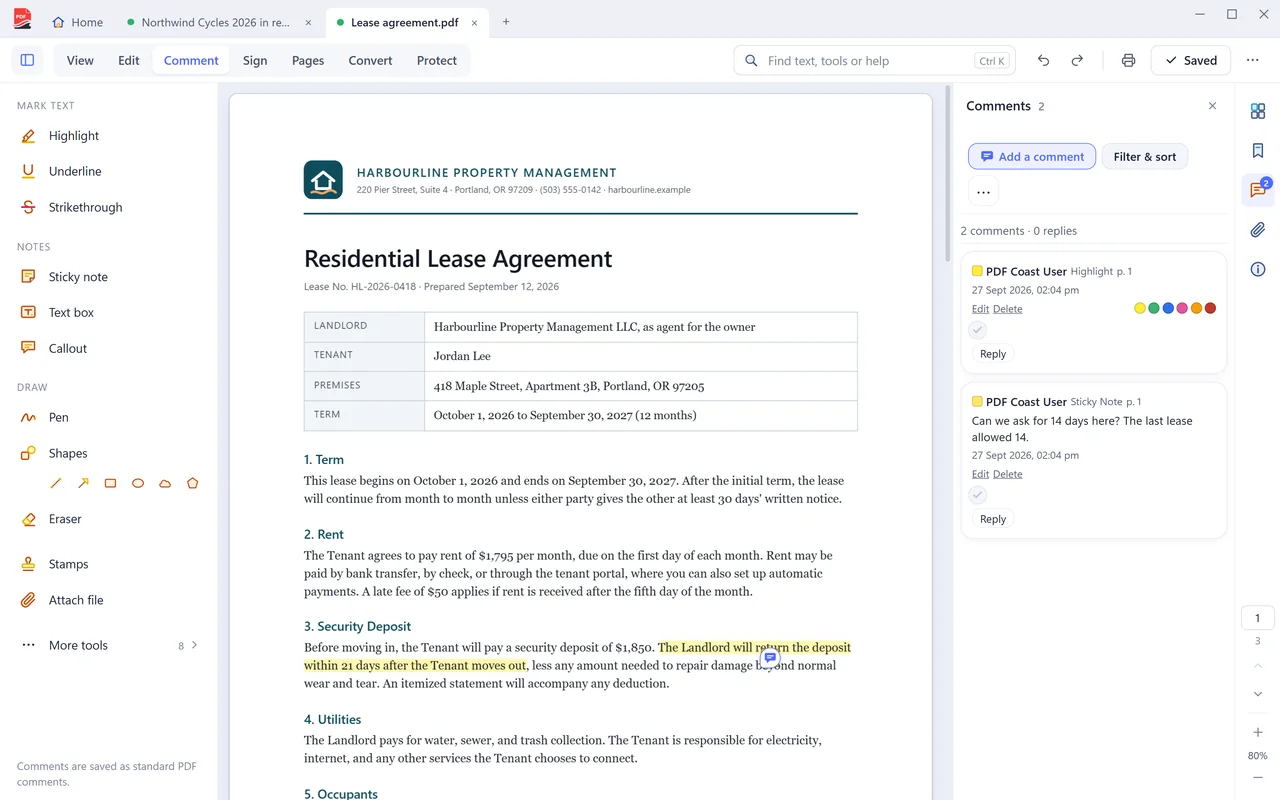
Mark up documents and trade comments with people who use other PDF apps.
- Highlights, underlines, strikeouts, notes, shapes and stampsFree
- Highlights that snap to the words you selectFree
- Comments and replies that Adobe Acrobat can openFree
- Mark comments Accepted, Rejected or CompletedFree
- Export a comment summary, and import commentsFree
- Measure distance, perimeter and area, calibrated to the drawingFree
Fill in and sign
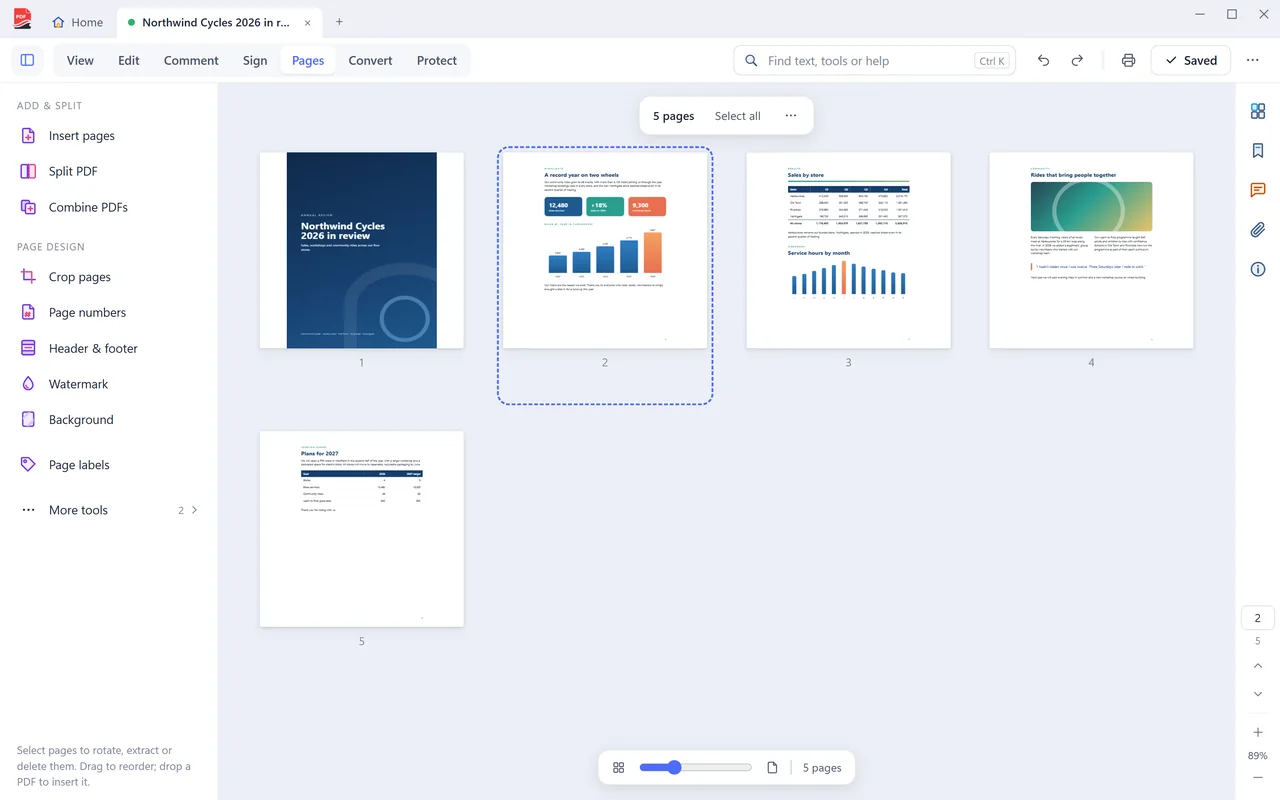
Complete forms of every kind, sign them, and prove who signed.
- Fill in interactive forms and flat, scanned formsFree
- Open and fill dynamic forms that ask for another readerFree
- Convert a dynamic form into an ordinary PDFFree
- Draw, type or place your signature and initialsFree
- Form totals calculated automaticallyFree
- Sign with a digital certificate, and verify signaturesFree
- Save a flattened copy so answers cannot be changedFree
- Create fillable forms with your own fieldsPro
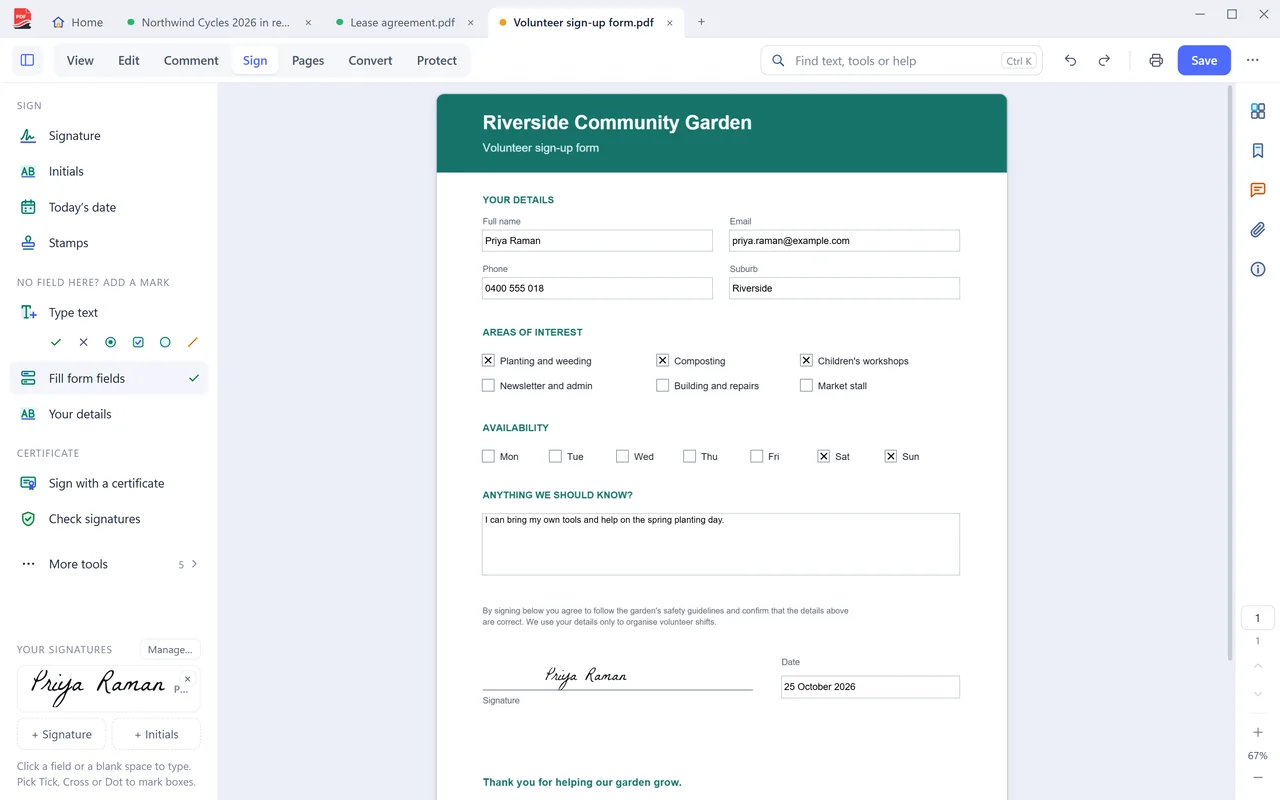
Organize pages
See every page at once and put the document in the shape you need.
- Reorder, rotate, duplicate, extract and delete pagesFree
- Merge several PDFs into oneFree
- Split by pages, page ranges, bookmarks or file sizeFree
- Compress to make a file smallerFree
- Insert blank pages, crop and resize pagesFree
- Edit bookmarks and page labelsFree
Convert
Turn almost anything into a PDF, and turn PDFs back into documents you can edit.
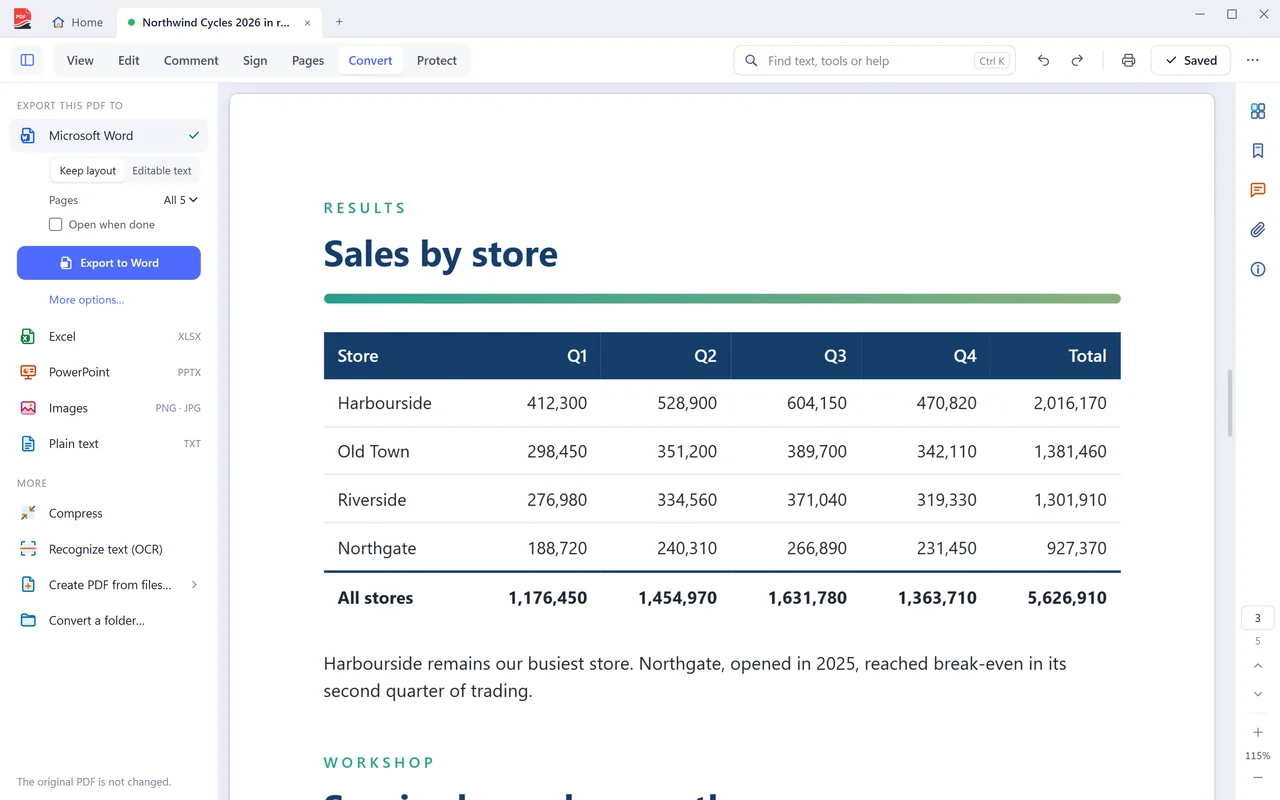
- PDF to Word, Excel and PowerPointPro
- Convert a set of PDFs, or a whole folder, in one runPro
- Save pages as PNG or JPEG imagesFree
- Export the text of a PDFFree
- Images, Word, Excel, PowerPoint, web pages and text to PDFFree
- New blank PDFs, and PDFs from the clipboardFree
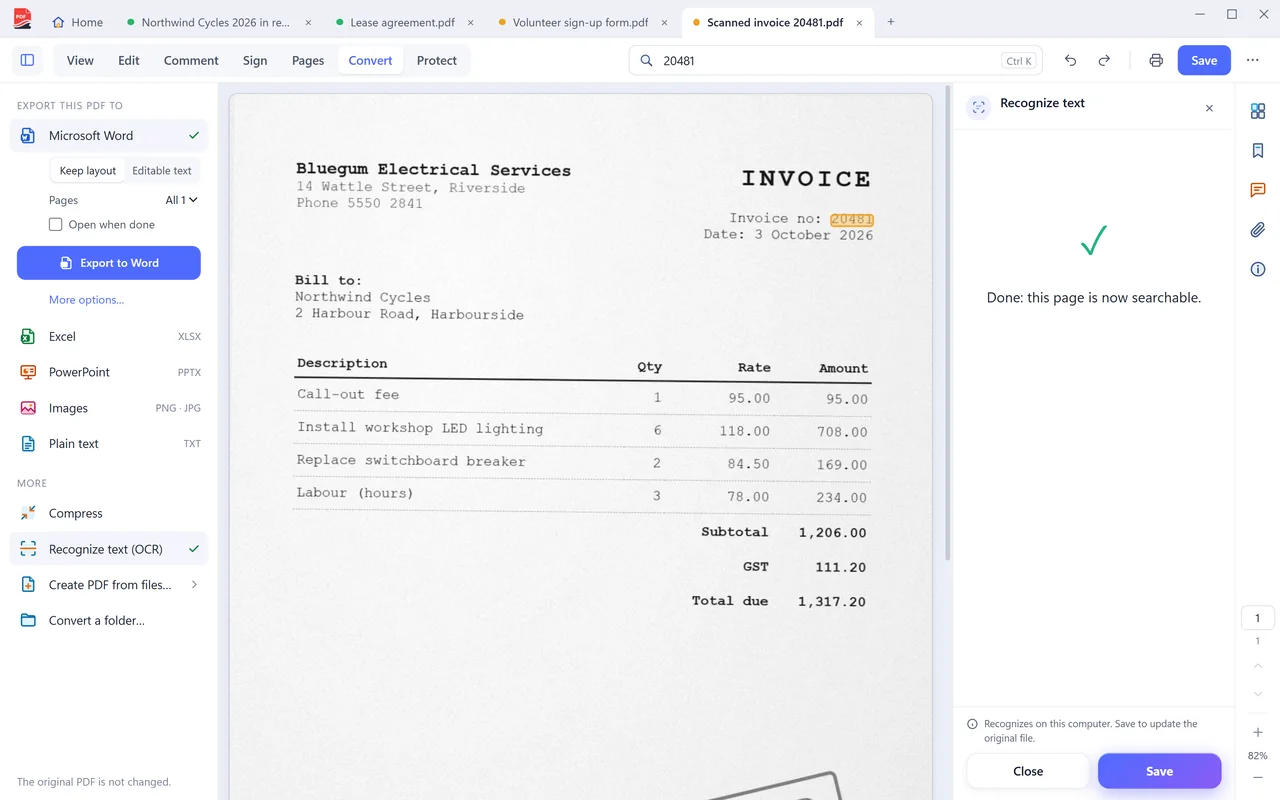
Scan and recognize text
Get paper into PDF, then make the words on it searchable. Recognition runs on your PC.
- Scan to PDF from a scanner, a feeder stack at a timeFree
- Make scanned pages searchable with offline OCRPro
- Ten languages, including Chinese, Japanese, Korean and ArabicPro
- Search the text of a documentFree
- Search every PDF in a folder at onceFree
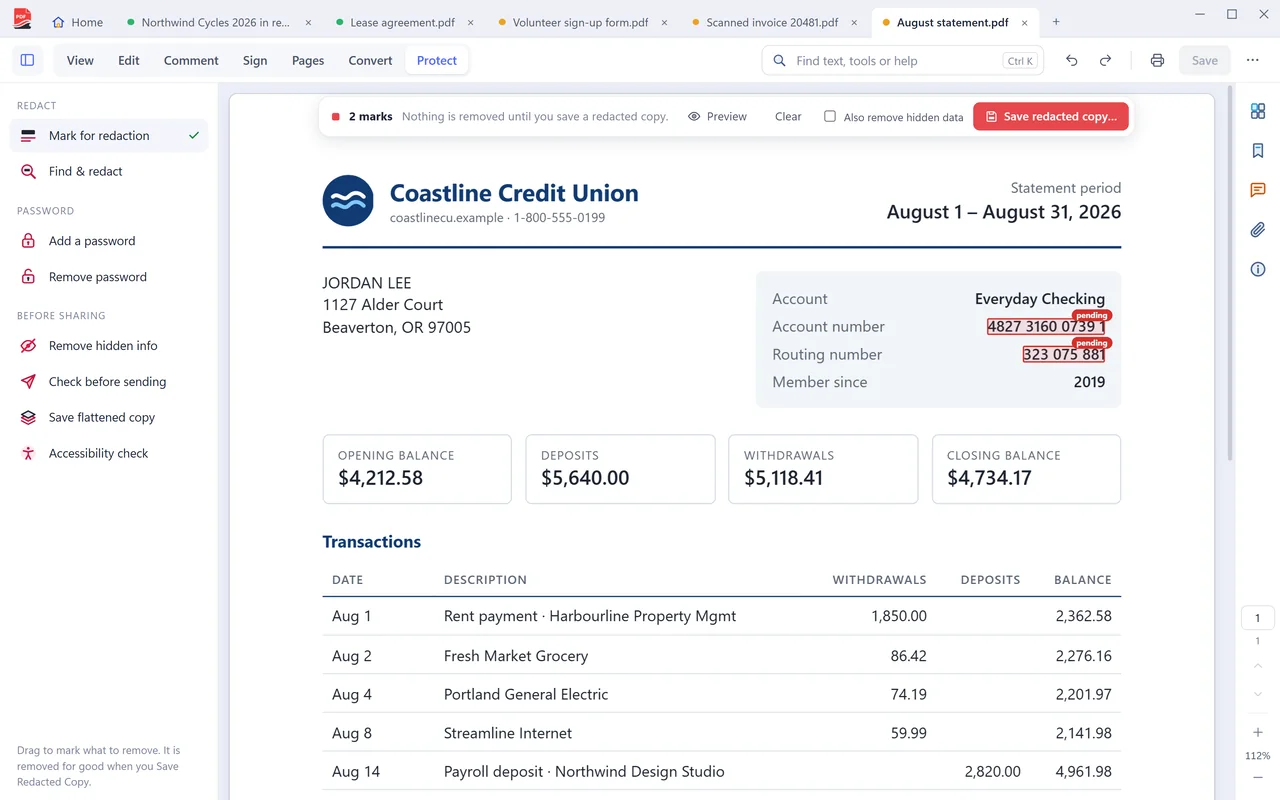
Protect and redact
Remove what should not be shared, and control who can open the rest.
- Redact text and areas permanentlyPro
- Find and redact every match of a word or numberPro
- Password protect with AES-256, or remove a password you knowPro
- Remove hidden data before sharingPro
- Open password-protected PDFsFree
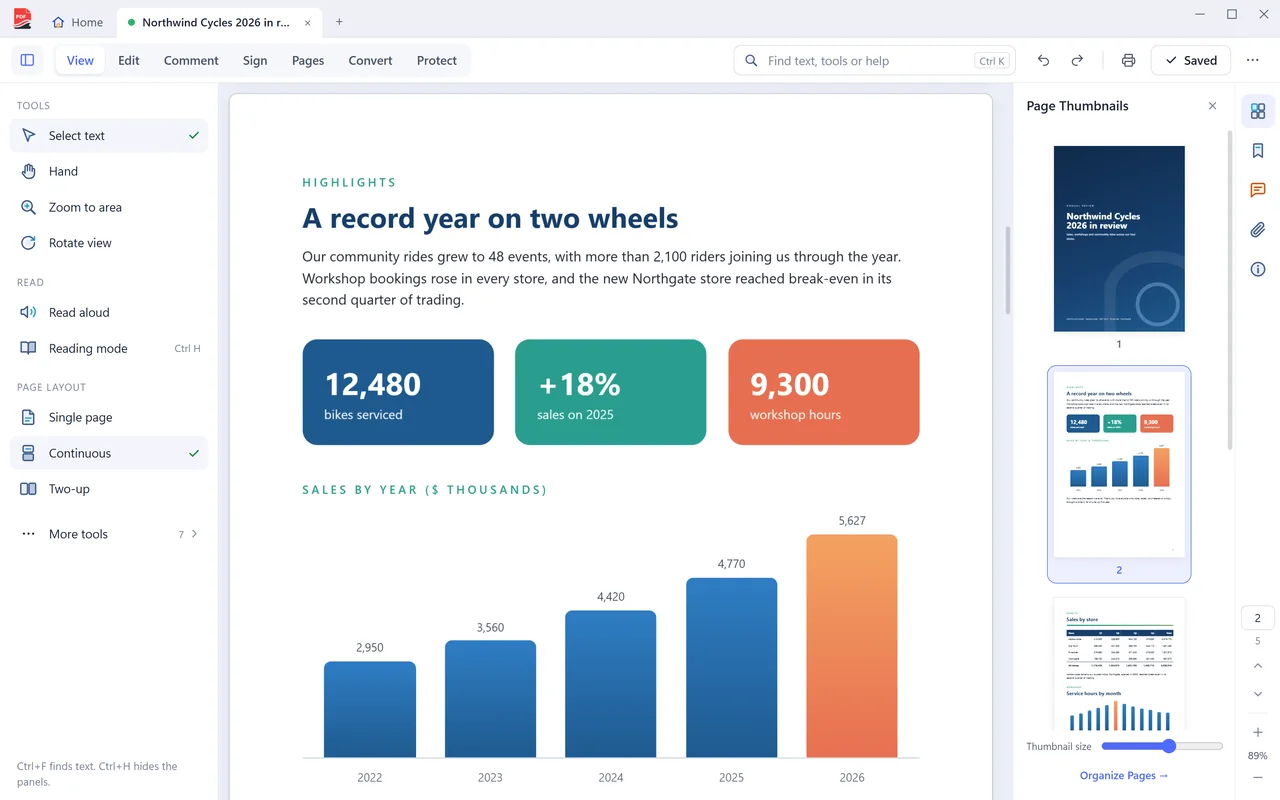
Read, listen and print
A fast, clean reader for every PDF, with no ads.
- Single page, two-page and cover views, zoom to 1600%Free
- Reading mode and a magnifying loupeFree
- Read aloud with the voices built into WindowsFree
- Turn a sideways scan upright on screenFree
- Booklets, and 2, 4, 6 or 9 pages to a sheetFree
- Posters across several sheets, and printing without markupFree
Step-by-step guides
How to do the most common jobs in PDF Coast.
-
Pro
Edit PDF text
Click a paragraph and change the wording. The text reflows as you type, and the page keeps its layout.
-
Free
Highlight and comment
Mark up a document and leave notes that other PDF apps can open.
-
Free
Fill and sign
Type into the fields, tick the boxes and sign. It works on scanned forms too.
-
Pro
PDF to Word
An editable .docx with real paragraphs, tables, headers and footers. Converted on your PC.
-
Pro
PDF to Excel
Real cells and real numbers, ready to sort, filter and total.
-
Pro
PDF to PowerPoint
Each page becomes a slide, with text you can edit and pictures you can move.
-
Free
PDF to JPG
One image per page, at the resolution you choose. Free.
-
Free
JPG to PDF
Photos, screenshots and phone scans become one tidy PDF. Free.
-
Free
Word to PDF
A .docx, .xlsx or .pptx becomes a PDF with its layout intact. Free.
-
Free
Scan to PDF
From the scanner to a finished PDF in one step. Free.
-
Pro
OCR a scanned PDF
Recognize the text in a scan without sending the scan anywhere.
-
Free
Merge PDF
Combine as many PDFs as you like, in the order you want. Free.
-
Free
Split PDF
Break one document into several, or take out just the pages you need.
-
Free
Compress PDF
Shrink a file that is too big to email, without handing it to a website.
-
Free
Rotate PDF
Turn pages the right way up and save them that way. Free.
-
Free
Delete PDF pages
Remove the pages you do not need and keep the rest. Free.
-
Free
Add page numbers
Page numbers or Bates numbers, where you want them. Free.
-
Free
Add a watermark
Text or a picture, across every page or just a few. Free.
-
Pro
Redact PDF
Remove private details for good. The text is deleted from the file, not hidden under a box.
-
Pro
Password protect
AES-256 encryption, set on your own computer.
Get PDF Coast for free
Everyday PDF work is free forever. Pro is US$26.49 once, and you can try every Pro tool free for 14 days. No account, no card, no subscription.
Windows 10 and 11, 64-bit. English, 简体中文 and 繁體中文.